Connecting to Amnezia Free
Amnezia Free — a completely free VPN service for accessing certain websites in Russia and some other regions with strict internet censorship.
Amnezia Free does not provide access to YouTube in Russia.
For access to YouTube and other blocked sites, we recommend purchasing an Amnezia Premium subscription: https://amnezia.org/en/premium (mirror).
There is no public list of all resources that Amnezia Free provides access to, but some of them are listed on our website: https://amnezia.org/en/free (mirror).
To connect to Amnezia Free on an iOS device, use this instruction.
Creating a Connection in the AmneziaVPN App
Before creating an Amnezia Free connection, make sure you are not connected to a VPN and open the AmneziaVPN app when you are in Russia or another country where Amnezia Free is available.
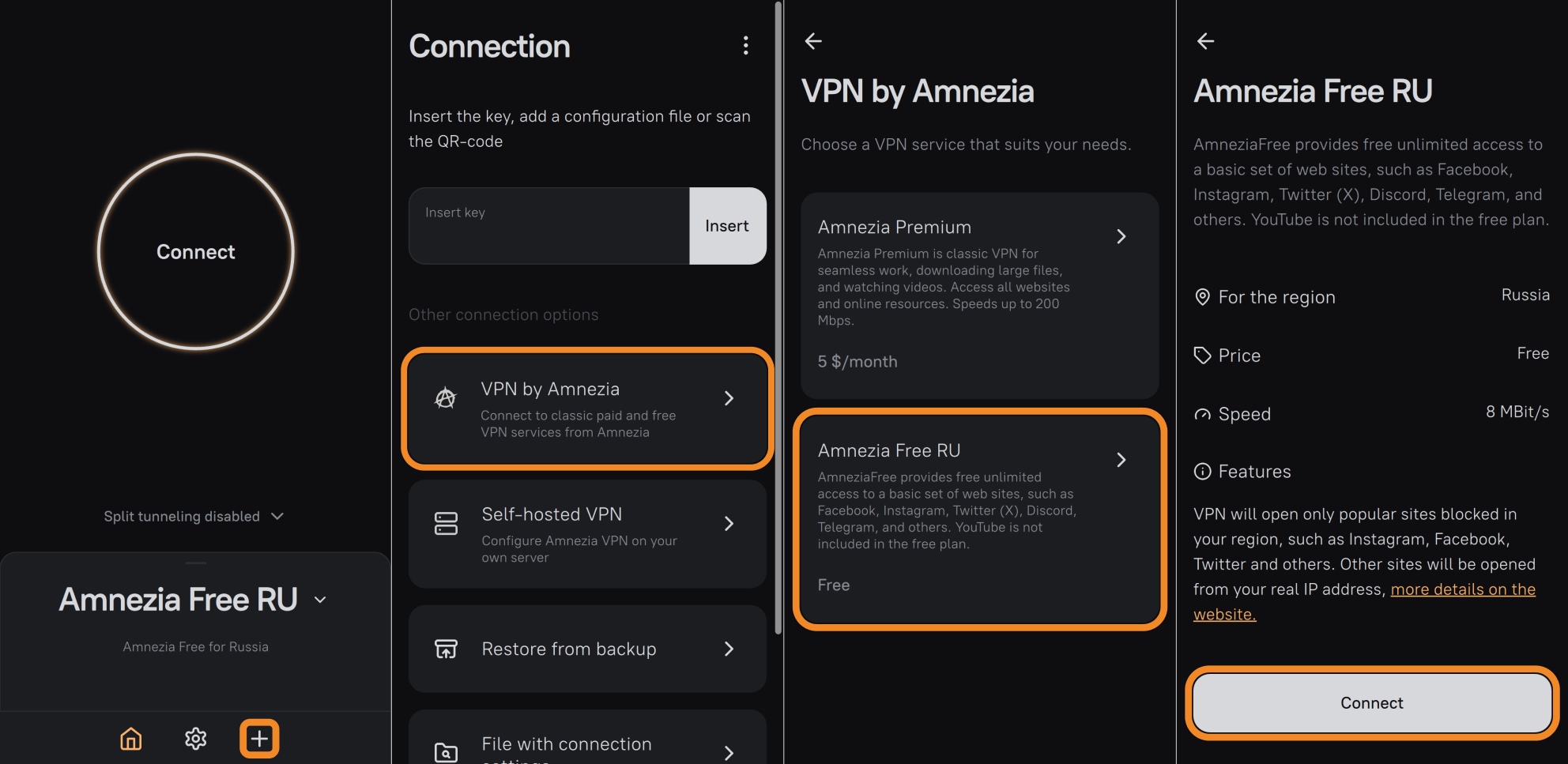
- Download and launch the AmneziaVPN app: https://amnezia.org/en/downloads (mirror).
- Tap ➕ (plus icon) or Let's get started button if you don't have any other connections yet.
- Select VPN by Amnezia and wait for it to load.
- Select the Amnezia Free version available for your region, for example Amnezia Free RU, and tap Connect.
Your Amnezia Free connection is now created — ready to connect.
Troubleshooting Amnezia Free Connection
If you can't connect to Amnezia Free, or the connection works but there's no traffic (e.g., Instagram feed doesn't refresh), first try resetting the API configuration:
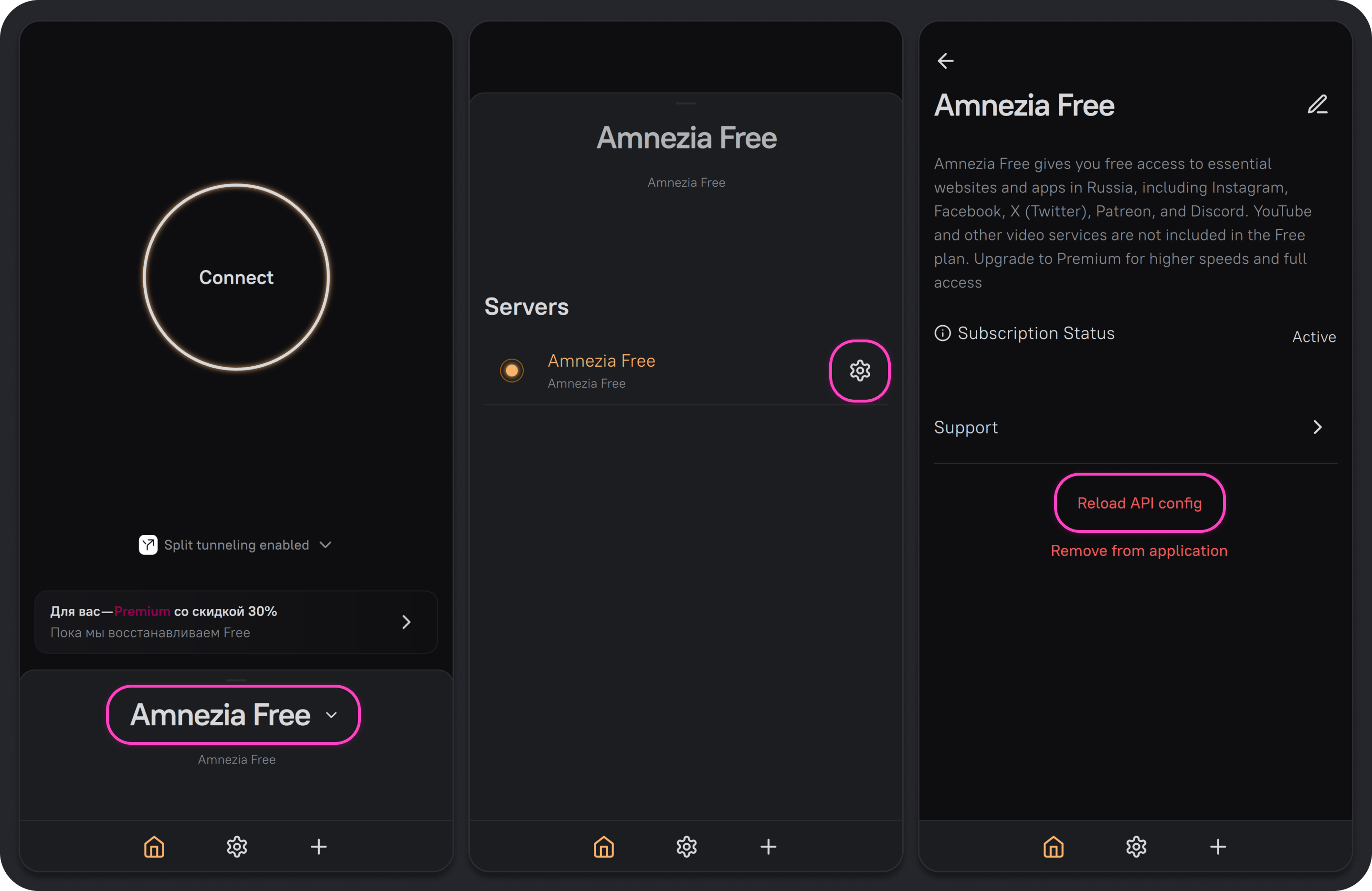
- On the main screen of the AmneziaVPN app, tap the Amnezia Free connection.
- Tap ⚙️ (gear icon) next to the Amnezia Free connection you're having trouble with.
- Tap Reload API config, then Continue. After that, try connecting to the VPN again.
Resetting the API configuration won't "break" your connection — it only helps fetch updated VPN server parameters.
If the connection issue persists after resetting the API configuration, try deleting the Amnezia Free connection and creating it again through VPN by Amnezia.
If the Amnezia Free connection fails only on mobile internet, while home (wired) internet works fine, the most likely cause is mobile internet being restricted by "whitelists".
In that case, wait until mobile internet works normally again, or use another internet source without such restrictions.
Mobile internet in Russia is increasingly run in restricted mode ("whitelists"), which makes VPN connection impossible.
Typically, whitelist restrictions apply at certain times of day or in certain parts of the city. For more details on mobile internet whitelist restrictions, check with your mobile operator.
If the Amnezia Free connection fails on both mobile and home (wired) internet, contact us via TG-bot or email [email protected].